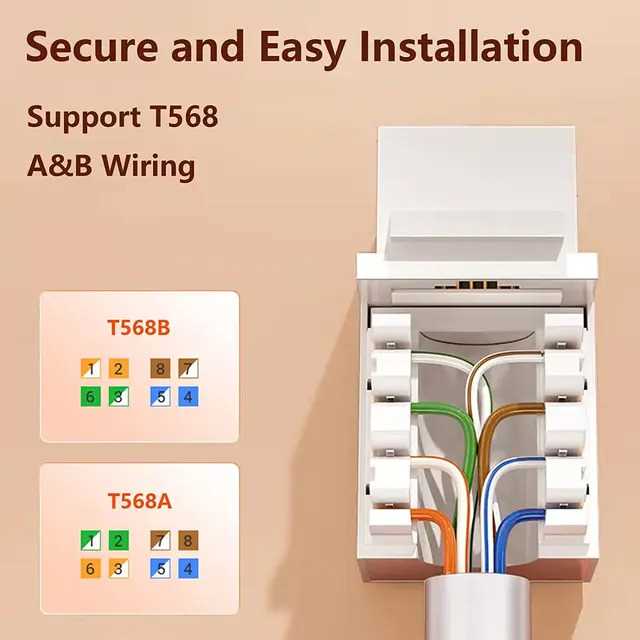
To establish a reliable and fast network connection, it’s crucial to wire connectors correctly. Start by selecting high-quality components suited for the data transfer speed you need. For high-speed connections, such as gigabit networking, using the right cables and ensuring precise wiring is critical. Incorrect connections can lead to signal loss, slower speeds, or even complete connection failure.
Once the components are in hand, make sure you follow the correct sequence for arranging the individual wires inside the connector. This sequence directly affects the signal quality and the performance of your network. For a reliable connection, ensure that the wires are stripped cleanly and fit snugly into the terminals without any loose ends or shorts.
After wiring the connector, double-check that all connections are secure. A simple mistake in wiring order or a loose wire can lead to network disruptions. Testing the connection with a cable tester can help verify the integrity of the setup before use.
Correct Wiring for Network Connectors
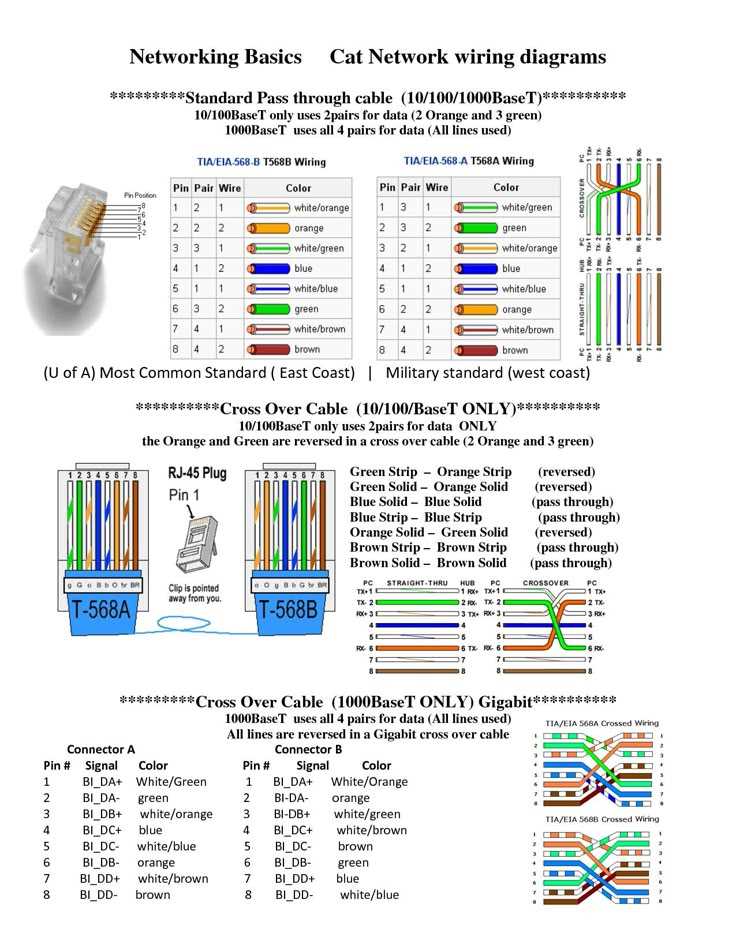
Start by ensuring the wiring follows the correct color code sequence. For T568B wiring, the order should be: white-orange, orange, white-green, blue, white-blue, green, white-brown, and brown. This sequence guarantees proper pairing and optimal data transfer. Each wire must be fully inserted into the connector and trimmed evenly to avoid signal disruption.
Testing the Connection
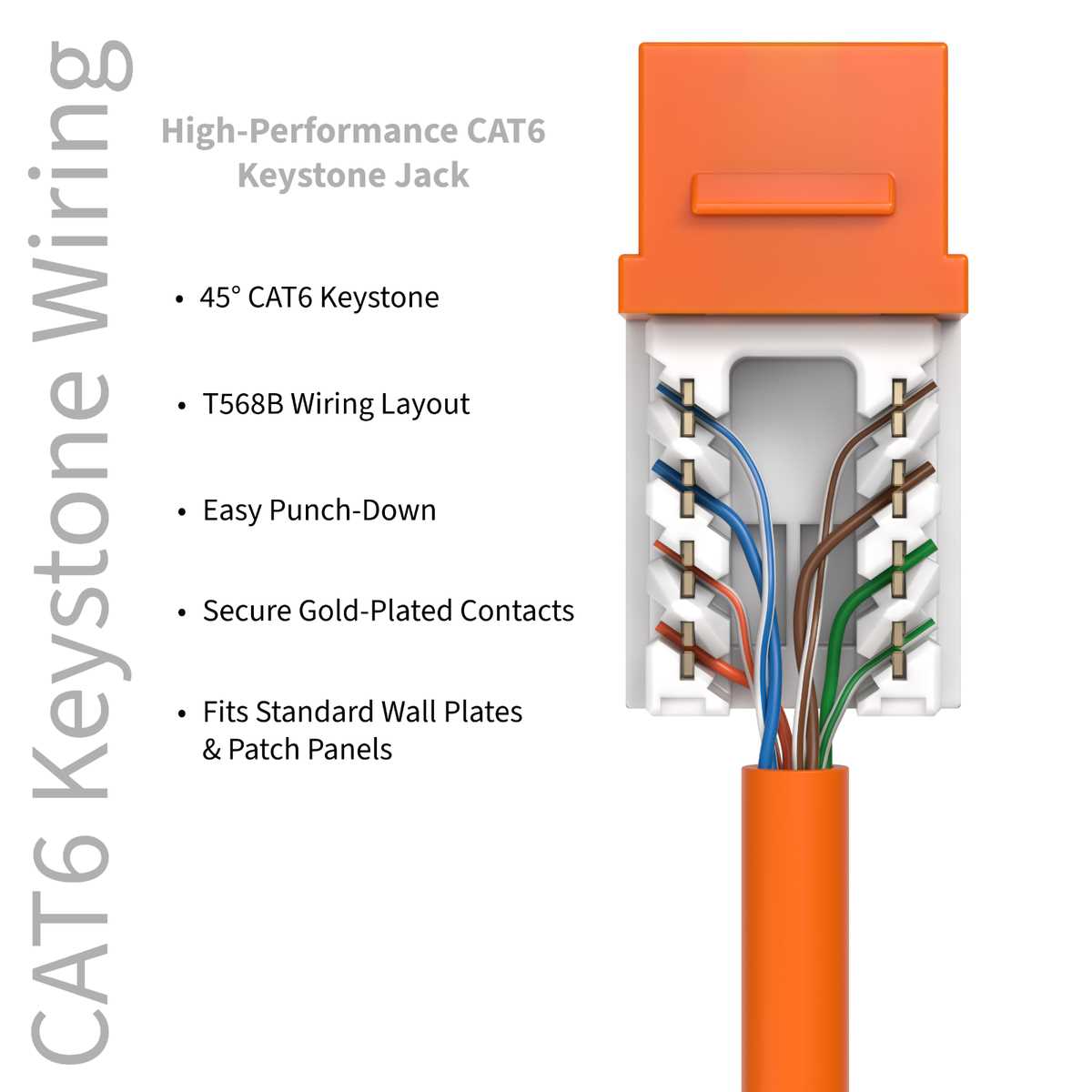
Once the wires are correctly inserted, use a cable tester to verify each connection. The tester will confirm that the signals are correctly aligned and that the cables are free from any wiring faults. If the test reveals a problem, recheck the wiring and ensure that the wires are firmly secured within the connector.
Choosing the Right Tools and Components for Wiring a Connector
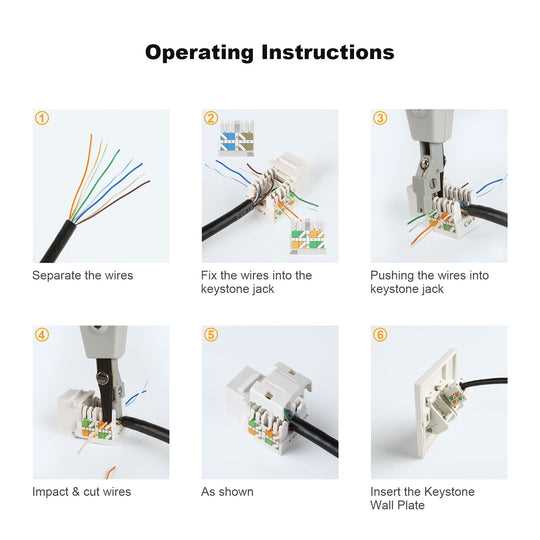
First, select a high-quality crimping tool designed for data cables. This tool ensures the proper insertion of wires into the connector’s terminals, providing a solid, reliable connection. It should have adjustable settings to accommodate various wire gauges and connector types. Without a good crimping tool, achieving a secure and functional connection becomes difficult, leading to potential performance issues.
Next, choose the appropriate connector for your cable type. Ensure the connector supports the cable’s specifications, such as the correct category and wire count. For high-speed connections, like gigabit networks, use a connector that can handle the required bandwidth without causing signal degradation. Verify the manufacturer’s specifications to match your needs.
Along with the crimping tool, you will need a cable stripper to cleanly remove the outer insulation from the cable without damaging the individual wires. A proper stripper allows for precise and accurate stripping, preventing any unnecessary nicks or cuts in the wires, which could lead to short circuits or signal loss.
Finally, have a cable tester on hand to verify the integrity of your connections. A tester checks for continuity and signal strength, ensuring that the connection is stable and free of faults. It helps identify miswiring or faulty connections, saving time and preventing issues later in the setup process.