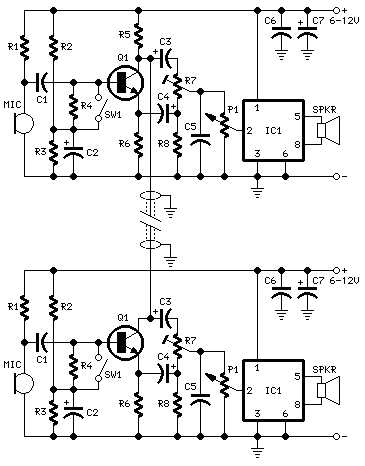
Start by selecting the right equipment for your communication setup. Choose high-quality microphones, speakers, and a power source that can handle the required load. It’s important to match the system’s voltage ratings with the components’ specifications to ensure safety and proper function.
Connect the components carefully, ensuring the wiring is done in a logical and straightforward way. The two stations should be linked by the same type of cable, with clear markings for each wire to avoid confusion. Maintain separation between the power and signal lines to minimize interference, especially in longer wire runs.
Once you’ve connected the components, double-check for continuity and correct grounding. Faulty connections can lead to poor audio quality or even damage to the equipment. Test the setup at each stage to ensure clear communication between the two points before proceeding with the final installation.
Creating a Functional Two-Point Communication System
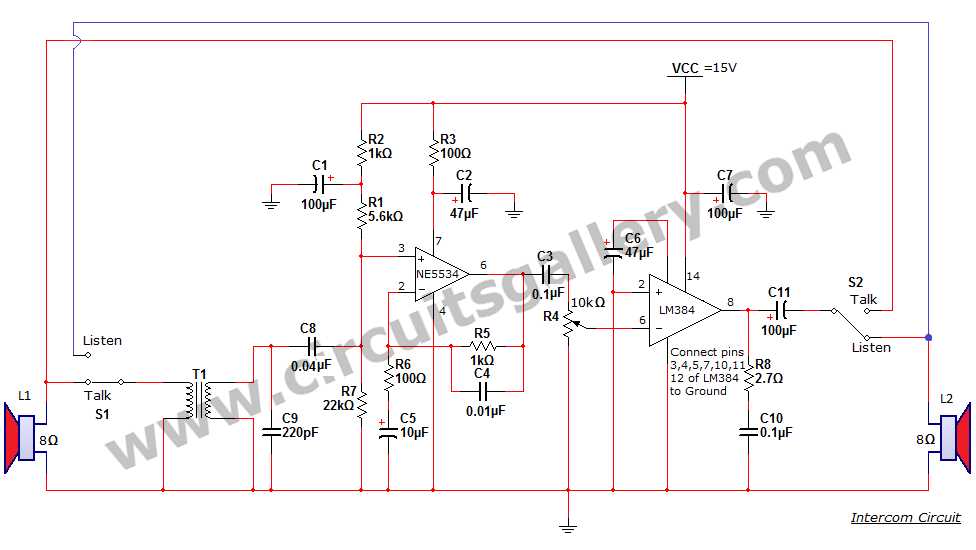
Begin by selecting a suitable power source for the system, ensuring that it matches the voltage requirements of all connected components. Use a reliable power supply to prevent fluctuations that could lead to poor performance or damage to sensitive devices.
Next, wire the two units using high-quality cables, such as twisted pair wires, to minimize signal interference. Label each wire for easy identification, clearly separating the connections for power and communication signals. This will prevent confusion during installation and troubleshooting.
Connecting the Microphone and Speaker
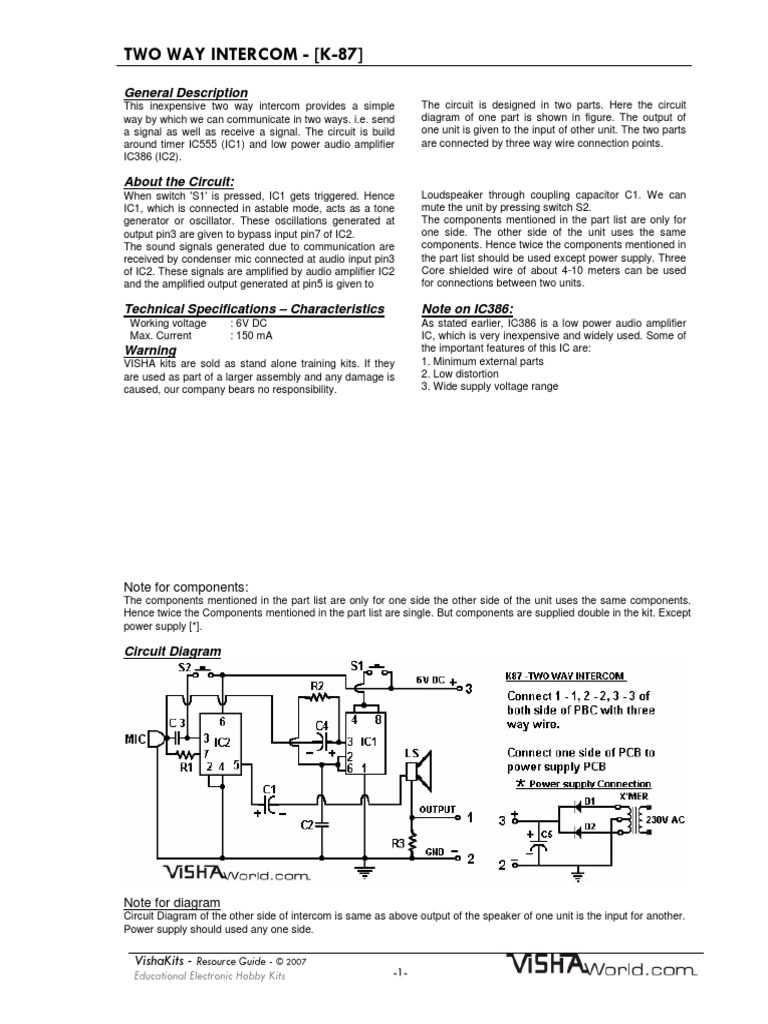
For audio input and output, connect the microphone to the first unit and the speaker to the second unit, ensuring they are properly aligned with the signal flow. Make sure both components are matched in impedance to avoid sound distortion or damage. Test the setup after each connection to confirm clear transmission of sound between the units.
Testing and Troubleshooting
Once the wiring is complete, thoroughly test the system to check for any dead zones or audio issues. If sound clarity is poor, inspect the wiring for any loose connections or interference. If problems persist, ensure that both units are grounded correctly and review the power supply for stability.
How to Design a Two-Point Communication System for Home Use
Start by determining the distance between the two units and the power requirements for each. Make sure to choose cables with appropriate insulation to handle the electrical and signal load over the intended distance. Using a gauge too small for the distance can lead to performance issues such as signal loss or overheating.
Choosing the Right Components
To build an efficient setup, select components that match your requirements. This includes a reliable microphone, speaker, and a power supply that meets voltage specifications. Opt for quality speakers that can clearly transmit sound at both ends. Additionally, ensure your connectors are secure and fit the intended cable size to prevent weak signals or faulty connections.
Wiring the System
Once the components are selected, wire the two units by connecting the microphones to the transmitters and the speakers to the receivers. Use color-coded wires to distinguish the power and signal lines. For a more organized setup, you can include a junction box for connections. Make sure to test the system at each step to confirm all components are functioning properly before finalizing the installation.