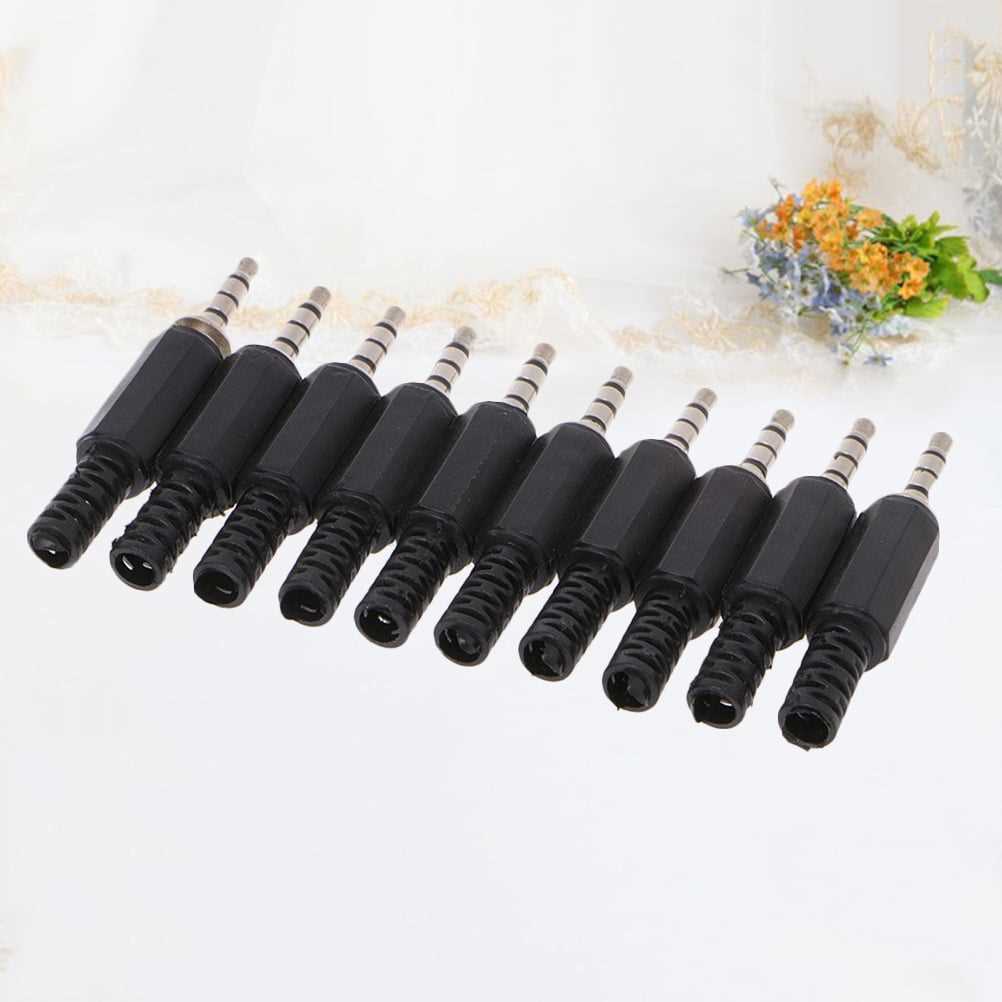
To successfully connect a 3.5mm audio connector, first identify the three main components: the tip, ring, and sleeve. The tip is for the left audio channel, the ring is for the right channel, and the sleeve is for the ground. Make sure to connect each wire to the correct section of the plug. Miswiring can result in audio issues or a complete lack of sound.
When preparing the wires for connection, strip a small section of insulation from each wire, ensuring that no copper is exposed beyond the necessary length. For a clean and secure connection, use soldering to attach the wires to the corresponding terminals. Be careful to avoid short circuits by ensuring the wires don’t touch each other or the surrounding components.
Once the connections are made, test the setup by plugging the connector into your device and checking for sound quality. If there are issues with the signal, recheck your connections, and verify that the wiring matches the appropriate diagram for your type of plug. If everything is in place, you should experience clear, reliable audio output.
Headset Connector Pinout and Proper Connection
To properly connect the 3.5mm audio plug, start by identifying the three primary sections: the tip, ring, and sleeve. The tip should connect to the left audio channel, the ring to the right channel, and the sleeve to ground. This configuration is common for stereo audio connections. Verify that the wiring matches the proper sections before proceeding with soldering or other connection methods.
When preparing the wires, ensure each is stripped cleanly without damaging the underlying copper. Aim for a clean, uniform strip of about 1/4 inch for each wire. Be mindful of the length to avoid any shorts. Once stripped, solder each wire carefully to the corresponding metal contact within the plug, ensuring no exposed wire touches any other parts of the connector.
If you’re using a TRRS (Tip-Ring-Ring-Sleeve) connector, which includes an additional ring for a microphone, remember to wire the microphone signal to the second ring. The tip remains the left audio channel, the first ring is for right audio, and the sleeve is ground. Testing at this stage will help confirm whether all connections are correct before finalizing the setup.
After completing the wiring, it is crucial to secure the connector with the outer casing. This will ensure that the wires are held in place, preventing strain on the connections. If the casing does not fit properly, trim the wire leads or use a larger connector. The casing should also be tightly screwed or clamped to avoid any loose connections.
Before attaching the connector to the device, it’s important to check for continuity using a multimeter. This will help confirm that no wires are touching where they shouldn’t, preventing potential short circuits. Verify that there is a clear connection between the tip and left channel, the ring and right channel, and the sleeve and ground.
Once all components are securely attached and checked, plug the connector into your device. Play some audio or test the signal to ensure proper functionality. If there is no sound, recheck the wiring for any loose or faulty connections, especially around the tip, ring, and sleeve. Ensure that the ground connection is intact, as a poor ground can cause noise or signal loss.
If you are creating a custom cable, use high-quality, insulated wires to ensure clear audio transmission. Avoid thin or flimsy wires, as they can affect the integrity of the sound signal. Copper wires are often the best choice for reliable conductivity and durability.
Lastly, always follow safety protocols when working with audio equipment. Proper insulation and secure connections are key to preventing electrical shorts and other hazards. Never work on the wiring of an audio connector while it is plugged in to avoid shock or damage to your equipment.
How to Identify Pins and Connectors in a Audio Connector
First, examine the connector closely. The most common configuration is a 3.5mm connector with three sections: the tip, ring, and sleeve. Each section serves a specific purpose. The tip is for the left audio channel, the ring handles the right audio, and the sleeve connects to ground. In a four-conductor TRRS configuration, the second ring is typically used for a microphone signal.
Pin Identification
For a clearer understanding, here’s how to identify the pins on a typical stereo connector:
- Tip: Carries the left audio channel (L).
- Ring: Carries the right audio channel (R).
- Sleeve: Provides the ground connection (G).
TRRS Configuration
In a TRRS setup, the fourth ring carries the microphone signal (M), which is commonly used for devices with a combined audio and mic input. If you’re dealing with a four-conductor connector, be sure to assign the microphone lead to the additional ring. A multimeter can help confirm the correct continuity between the connector and the respective channels to ensure proper connections.