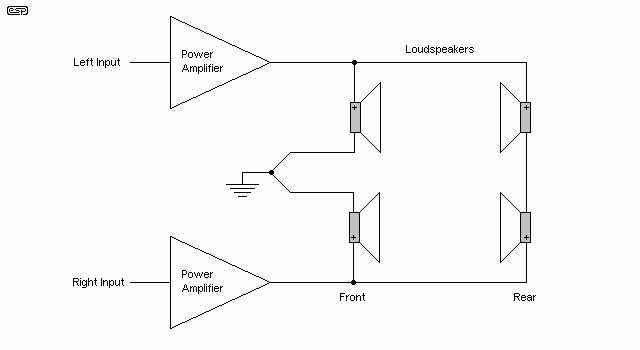
Connect the front, center, and rear channels first to ensure proper channel separation. Use color-coded cables and verify each terminal is secure. Test each speaker individually with a tone generator to confirm correct polarity.
Integrate the subwoofer line using the dedicated low-frequency output. Adjust gain and crossover according to room size to prevent distortion. Check connections for snug fit and avoid loose RCA plugs.
Route all cables away from power lines to minimize interference. Keep signal lines parallel but separate from high-voltage wires. Use cable ties to organize the layout and prevent accidental disconnections.
Verify amplifier outputs match each channel’s impedance. Incorrect load can reduce clarity or damage components. Measure resistance with a multimeter before powering the system.
Surround Sound Connection Guide

Start by connecting the front, center, and rear speakers to the amplifier outputs. Ensure polarity matches using the positive and negative markings on each terminal. Test each channel with a tone generator to confirm accurate placement and proper phase alignment.
Integrate the subwoofer using the dedicated low-frequency output.
- Adjust crossover frequency to match speaker capabilities
- Set gain to avoid distortion
- Use shielded cables to reduce interference
Secure all connections
and verify the layout before powering the system to maintain clear and balanced audio reproduction.
Connecting Front Center and Rear Speakers
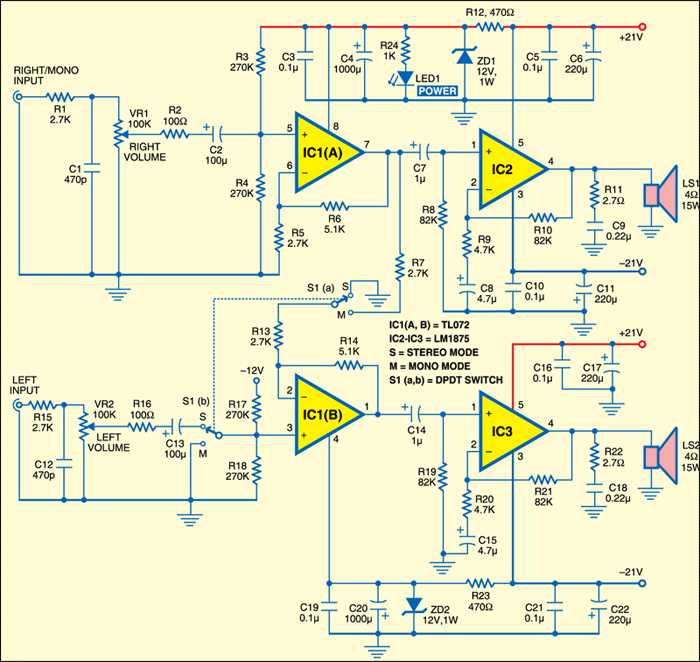
Begin by identifying the amplifier outputs labeled for front left, front right, and center channels. Match each speaker to its corresponding output to preserve proper audio staging. Check polarity markings to ensure positive and negative terminals align.
Use high-quality speaker cables with sufficient gauge for the distance from the amplifier. Thicker cables reduce signal loss and improve clarity, especially for long runs to rear speakers. Strip insulation carefully to avoid short circuits.
Mount the front speakers at ear level for the primary listening position. Angle tweeters toward the listening area to enhance clarity of vocals and high frequencies. Confirm secure installation to prevent vibration or rattling.
Position the center speaker directly above or below the display. Align with the screen to anchor dialogue accurately. Test with voice tracks to verify even coverage across the room.
Rear speakers should be installed slightly above ear level and angled toward the main listening zone. Use symmetrical placement on both sides to maintain balanced ambient effects. Check distance from walls to avoid bass reflection issues.
Run cables along walls or ceilings, using clips or conduit to keep them tidy. Avoid crossing power lines to minimize hum or interference. Label each cable for easy identification during setup or maintenance.
After connecting all speakers, perform a channel sweep test. Play a tone or test track through each channel to confirm correct routing and phase. Listen for uniform volume and clarity across all channels.
Adjust levels on the amplifier or receiver to balance the front, center, and rear channels. Fine-tune speaker distances and delay settings to match listening position. Recheck connections if any channel exhibits dropouts or distortion.