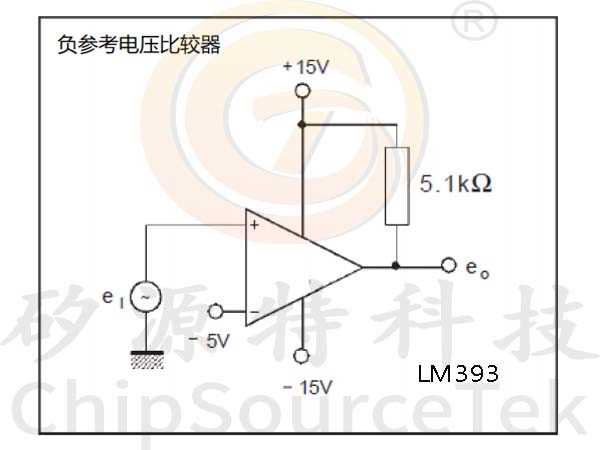
To construct a basic voltage comparison circuit, the key component you will need is a dual-input device that allows you to compare two voltage levels. This component is used widely in various control applications, such as detecting threshold voltages for microcontrollers or triggering an event when a certain voltage is exceeded. It is essential to understand how to set the reference voltage and configure the output correctly to achieve the desired functionality.
When designing such a system, ensure the power supply is stable and matches the required specifications for your component. Misconfiguration or over-voltage conditions can lead to incorrect behavior or even damage the device. Typically, you’ll connect the inputs to the specific voltage sources you wish to compare, with one input set as a reference. Once the input voltage crosses the reference point, the output will switch states, making this an effective tool for detecting events like over-voltage or under-voltage conditions.
For optimal performance, you must also consider the surrounding components such as resistors and capacitors to filter signals and stabilize the output. Using the correct component values will help fine-tune the behavior of the voltage comparator. Remember that accurate component selection plays a significant role in ensuring the reliability and longevity of your setup.
LM393 Voltage Comparator Connection Guide
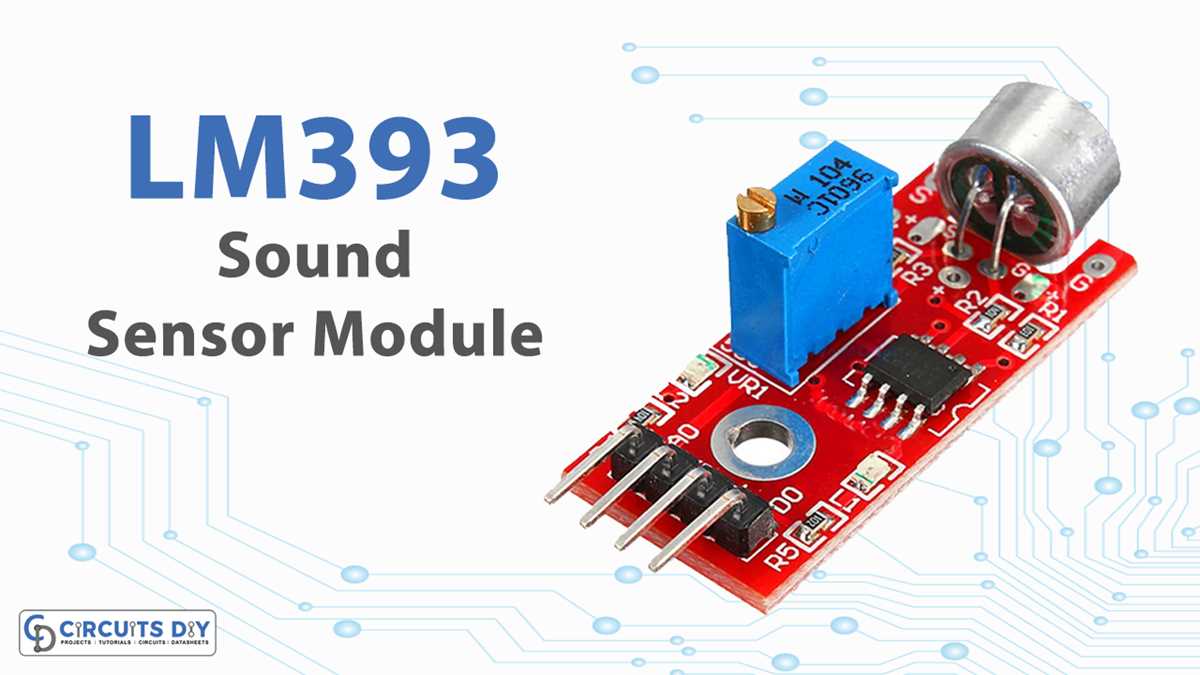
To begin using the LM393 for comparison tasks, ensure the component is powered by a proper supply voltage, typically between 2V and 36V. Make sure the ground of the device is properly connected to the common ground of the system. This connection is crucial for stable operation. Once the power is correctly routed, you can connect the two inputs of the device to the voltages you want to compare.
For setting up the reference voltage, use a voltage divider or a dedicated reference source. The inverting input of the device should be connected to the reference voltage, while the non-inverting input should be linked to the variable voltage you wish to compare. When the voltage on the non-inverting input exceeds the reference voltage, the output switches states.
Next, the output of the LM393 is an open-collector, meaning it requires an external pull-up resistor to function correctly. Connect a resistor between the output and the supply voltage. This allows the output to switch between high and low states when triggered, making it ideal for digital logic or driving other components.
For noise reduction and to ensure stability in fluctuating environments, consider placing small bypass capacitors between the power supply pins of the device. These components help filter out unwanted signals and smooth out any ripple in the supply, which could otherwise affect performance.
Finally, when constructing a more complex system, ensure to include appropriate protection diodes to safeguard the LM393 from accidental voltage spikes or reverse polarity. This simple addition can greatly increase the reliability and longevity of the entire setup.
How to Build a Simple LM393 Comparator Setup
To begin constructing a simple voltage comparison setup, first ensure that the component is correctly powered. Connect the VCC pin of the device to a supply voltage within the range of 2V to 36V, and connect the ground pin to the common ground of the system. This establishes a stable power foundation for the comparator’s operation.
Next, connect the inverting input to a reference voltage. This can be done using a voltage divider circuit made of two resistors to create a desired reference value. The non-inverting input will be connected to the variable voltage that you wish to monitor and compare against the reference voltage.
Now, the output pin is an open-collector type, meaning it cannot directly drive high voltage. To use it effectively, connect a pull-up resistor from the output pin to the positive supply voltage. This allows the comparator to output a high or low logic signal depending on the comparison of the input voltages.
For stable performance, it’s important to minimize power fluctuations. Place a small ceramic capacitor (typically 0.1µF) close to the power supply pins to filter out any noise or voltage spikes that might affect the device’s accuracy and reliability.
Consider adding protection elements such as diodes between the power supply and the input pins. These diodes can prevent potential damage from accidental voltage spikes or reverse voltage conditions, enhancing the overall robustness of your setup.
Finally, once your basic connections are in place, verify that the output behaves as expected. When the voltage at the non-inverting input exceeds the reference voltage, the output should go low, and when it drops below the reference, it should return to high. This simple logic behavior can now be used in more complex applications, like triggering a relay or activating an alarm when certain voltage thresholds are reached.