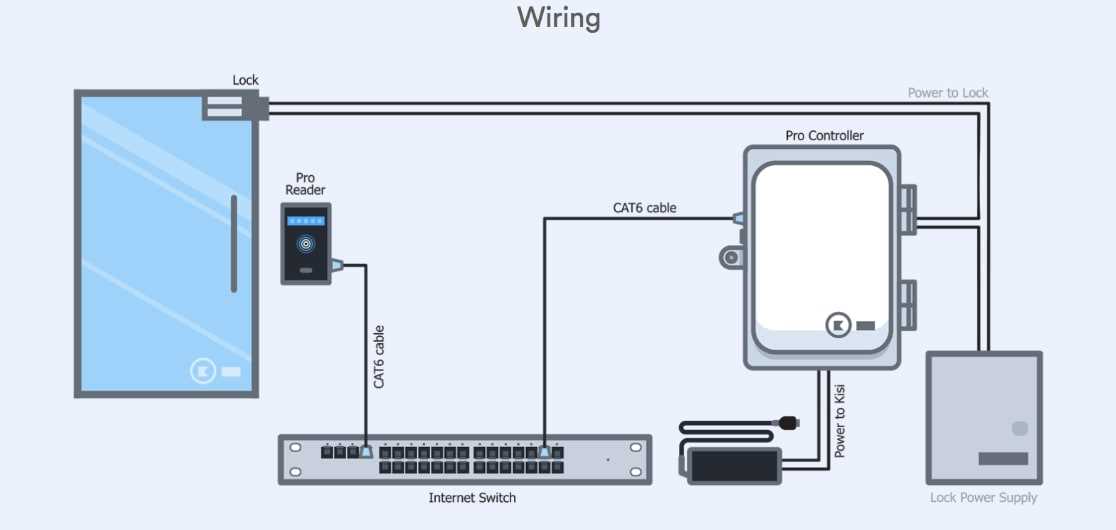
Ensure the power supply matches the rated voltage of your access device before connecting any control modules. Use a multimeter to confirm polarity and avoid overloading components.
Install the holding mechanism on a stable surface with screws that align precisely with the mounting holes. Misalignment can prevent full engagement and reduce security performance.
Route the control leads through protective channels to prevent accidental cuts or wear. Maintain a minimum bend radius of 2 inches to reduce strain on the cables and connectors.
Test the release switch and keypad functions by applying temporary voltage and observing the response. Immediate actuation indicates correct connections, while delayed response may require checking terminals for loose contacts.
Complete Guide to Connecting Electromagnetic Access Systems
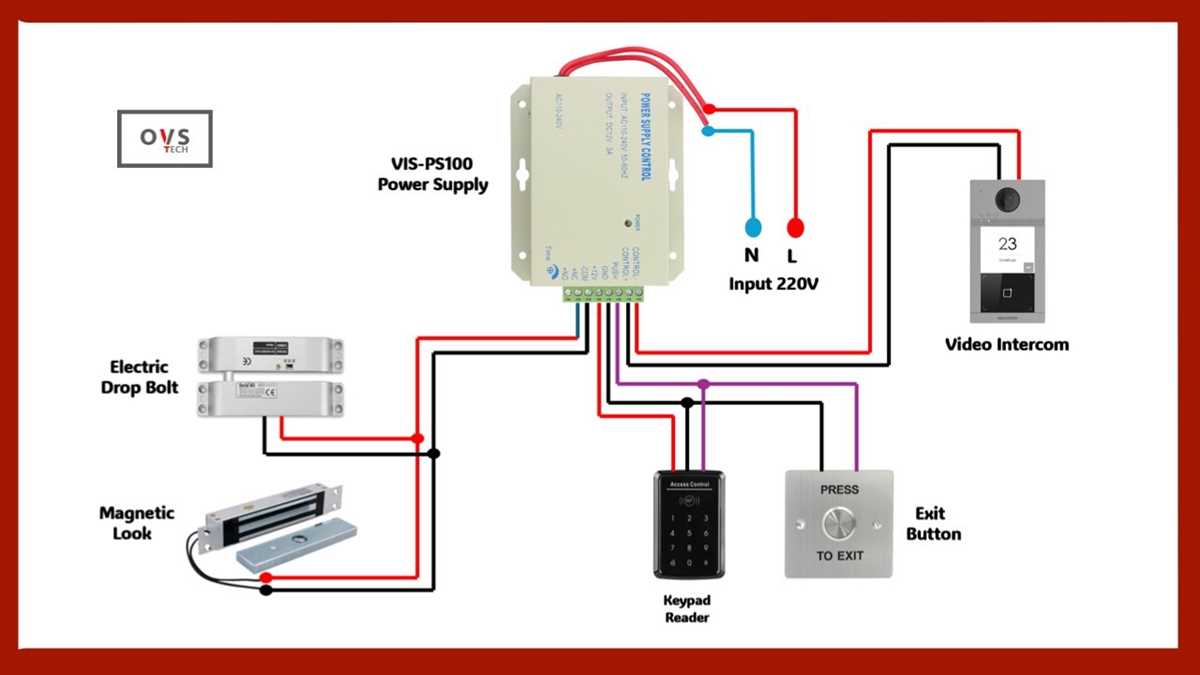
Confirm the voltage rating of your control panel before connecting any modules to prevent overcurrent damage. Use a digital multimeter to verify the output matches the specifications of the holding device.
Mount the holding mechanism securely on a flat metal or reinforced surface. Align screws precisely with the device holes to ensure maximum contact and proper engagement under stress.
Route the conductor cables through protective conduits to reduce wear and prevent accidental cuts. Maintain smooth curves and avoid sharp bends below a 2-inch radius to preserve wire integrity.
Connecting Release Switches
Use a normally open switch to control the release mechanism. Connect terminals according to polarity, ensuring the positive lead matches the control output. Test by momentarily activating voltage to confirm immediate response.
Integrating Keypad or Card Readers
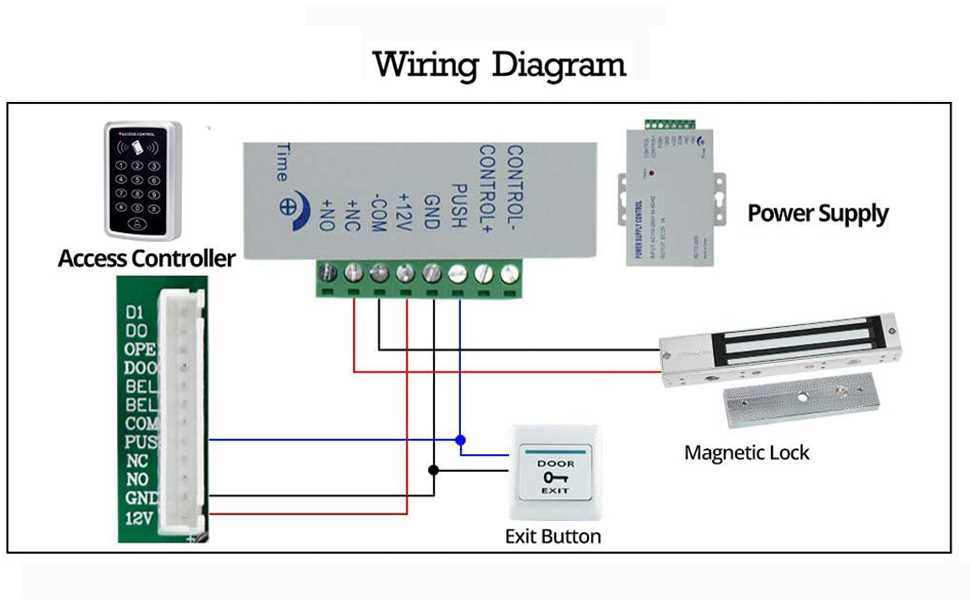
Run the input lines from keypads or card readers through separate shielded channels to minimize interference. Label all connections clearly and secure with terminal blocks. Confirm actuation by triggering each input and observing full engagement of the holding device.
Perform a final continuity and insulation check using a multimeter. Verify that all control signals activate the holding mechanism instantly, and that no stray voltage exists across inactive circuits. Document all connections for future maintenance or troubleshooting.
Identifying Power Source and Polarity Requirements
Confirm the voltage and current specifications of your access system before connecting any modules. Check the manufacturer’s label for DC or AC ratings and verify the maximum load capacity.
Use a digital multimeter to measure the existing supply lines. Identify the positive and negative leads for DC systems or live and neutral for AC setups. This ensures compatibility and prevents reverse polarity damage.
Checking Polarity Orientation
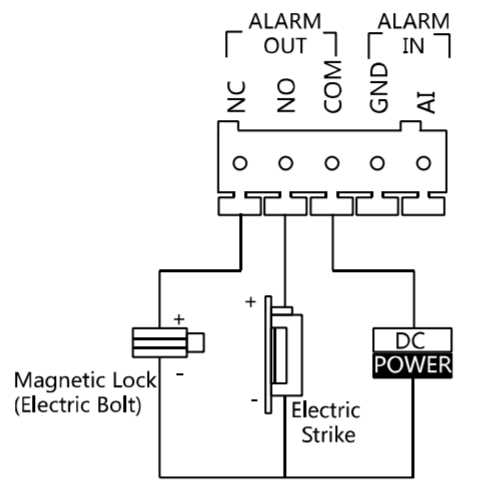
Mark the conductor ends clearly once you identify polarity. Connecting a device with reversed leads can prevent proper engagement or permanently damage the solenoid coil. Test the output with a low-voltage probe before final installation.
For systems with multiple inputs, separate the power feeds to avoid overload. Ensure each feed has inline fuses rated slightly above the operating current. This protects both the control panel and the holding mechanism.
Confirming Stable Voltage Delivery
Measure voltage at the terminal after routing the conductors. A stable reading without fluctuations under load confirms that the source is capable of maintaining proper operation. If spikes or drops appear, consider a regulated supply or adding a capacitor to smooth output.
Document the confirmed voltage, current, and polarity orientation. Label all terminals and conductors. This prevents future misconnection and simplifies maintenance or upgrades while maintaining safe operation standards.