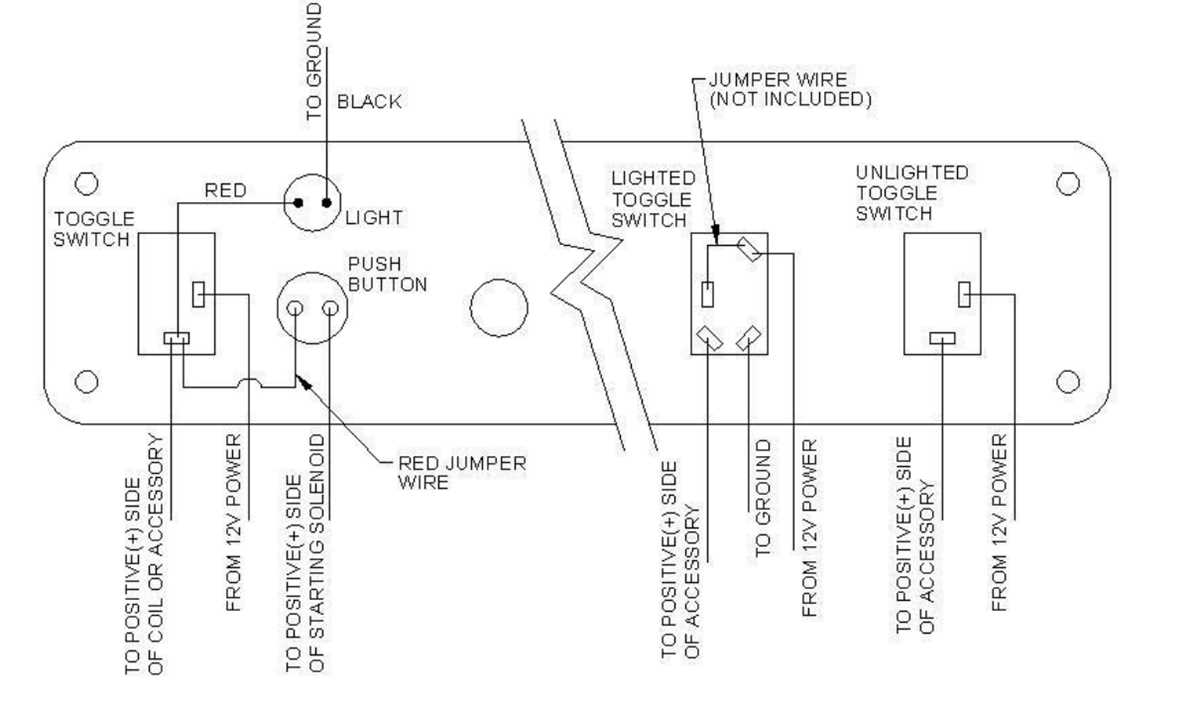
Connect the power source directly to the input terminals following the manufacturer’s color coding to ensure proper current flow. Red wires typically indicate live voltage, while black or blue wires serve as returns or neutral pathways.
Use insulated connectors and tighten screws to prevent loose contacts that can lead to sparking or overheating. Confirm polarity before engaging the device to avoid reversing current and damaging components.
For multi-position models, trace each contact point and mark its corresponding output line. This allows you to switch between circuits safely without cross-connecting, ensuring each circuit functions independently.
After connections are complete, test continuity with a multimeter and verify that the device reliably opens and closes each pathway. Document each terminal assignment for future maintenance or upgrades to prevent wiring errors.
Toggle Switch Connection Guide
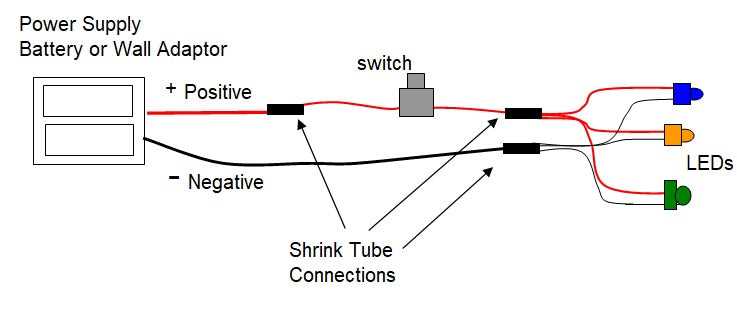
Connect the main power line directly to the input terminal, ensuring that the metal conductor is fully seated under the clamping screw. Secure fastening prevents arcing and overheating during operation.
Identify each output terminal and assign corresponding load lines accurately. Labeling each conductor helps avoid cross-connections when multiple circuits are integrated in the same panel.
Insulate exposed contacts using protective sleeves or heat-shrink tubing. Keep separation between high-current and low-current lines to reduce interference and maintain compliance with safety standards.
Test the assembly with a continuity meter before energizing the system. Verify all positions to ensure that each connected device responds correctly, confirming proper alignment and avoiding misrouting of signals.
Identifying Terminals and Input Wires
Directly attach the main supply cable to the designated input terminal marked for line voltage. Ensure firm contact under the securing screw to prevent overheating and intermittent connectivity.
Label each conductor according to the connected load or device before insertion. Maintaining clear identification reduces errors when multiple inputs converge in a control panel.
- Verify the polarity of each incoming line using a voltage tester.
- Inspect the insulation for damage or nicks before connection.
- Keep neutral and live conductors separated to avoid short circuits.
Perform a continuity check on each terminal after insertion. Confirm that each input wire leads to the intended device and that no unintended bridging occurs between adjacent terminals.