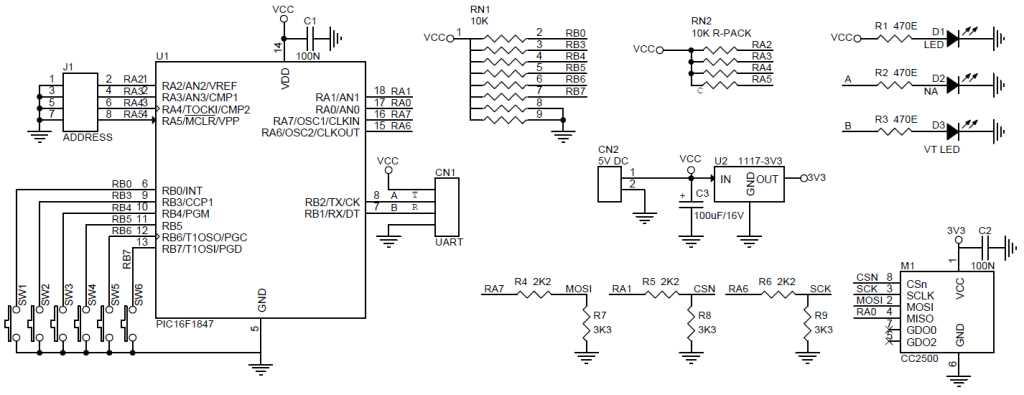
Connect the power supply pins first using stable voltage sources of 3.3 to 5 volts to prevent component stress. Ensure ground lines are shared between both sending and receiving modules to avoid voltage offsets that can distort signals.
Verify data lines orientation by matching output pins from the sending unit to input pins on the receiving unit. Use short, shielded wires to minimize interference over longer distances and maintain signal integrity.
Keep the modules physically separated by at least 10 centimeters from high-current devices. This reduces electromagnetic coupling that could cause data errors or intermittent connectivity.
Install small bypass capacitors near the power pins of each module to filter high-frequency noise. A 0.1 µF ceramic capacitor works well to stabilize voltage fluctuations during fast switching.
Test initial connections with a low-frequency data pattern before activating full-range transmission. Observe LED indicators or oscilloscope traces to ensure the sending unit is correctly producing pulses and the receiving unit detects them consistently.
Adjust the antenna orientation for line-of-sight alignment. Vertical placement typically maximizes range in open spaces, while horizontal positioning can improve reception through partitions.
Check voltage levels at critical points with a multimeter. Ensure that output signals stay within 0–3.3 volts for logic compatibility, avoiding any potential overvoltage damage to input pins.
GHz Transmitter and Receiver Setup Guide
Start by powering each module with a regulated 3.3 to 5 volt source and ensure that all ground connections are shared between the sending and detecting units. Incorrect grounding can cause pulse distortions and data loss. Use short, twisted pair or shielded wires for signal lines to maintain stable communication over longer distances.
Align antennas and verify data paths by sending test pulses at low speed before enabling full operation. Observe indicator LEDs or use an oscilloscope to confirm that the sending unit produces consistent signals and the receiving unit registers them correctly. Adjust physical spacing to minimize interference from nearby electronics and metal surfaces.
Power Supply and Ground Connection for Transceiver Modules
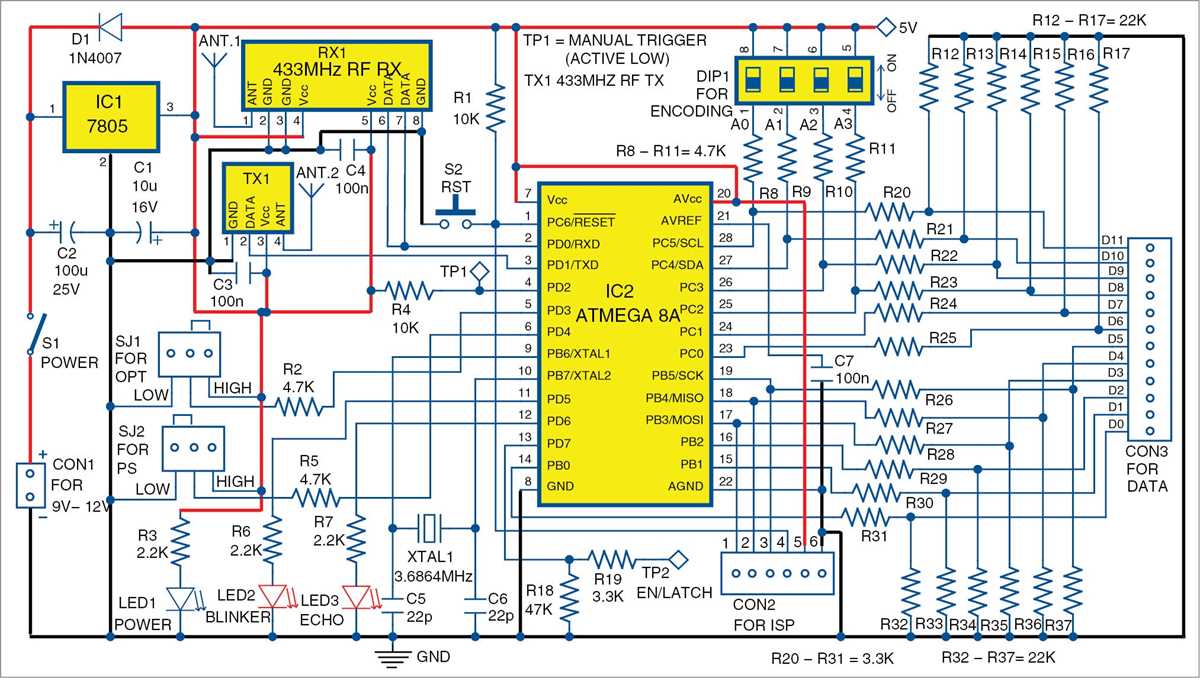
Connect each module to a regulated voltage source matching its operating range, typically between 3.3 and 5 volts. Install a 0.1 μF ceramic capacitor near the power pin to reduce high-frequency noise and a 10 μF electrolytic capacitor to stabilize transient voltage drops. Ensure all ground points converge at a single reference node to prevent voltage offsets that can disrupt signal integrity.
Use short and thick conductors for ground paths to minimize resistance and inductance. Keep power traces separate from high-speed data lines, and verify continuity with a multimeter before powering the modules. Proper layout reduces electromagnetic interference and maintains consistent communication between paired units under varying load conditions.